FAB Beneficiary Not Activated? How to Fix It
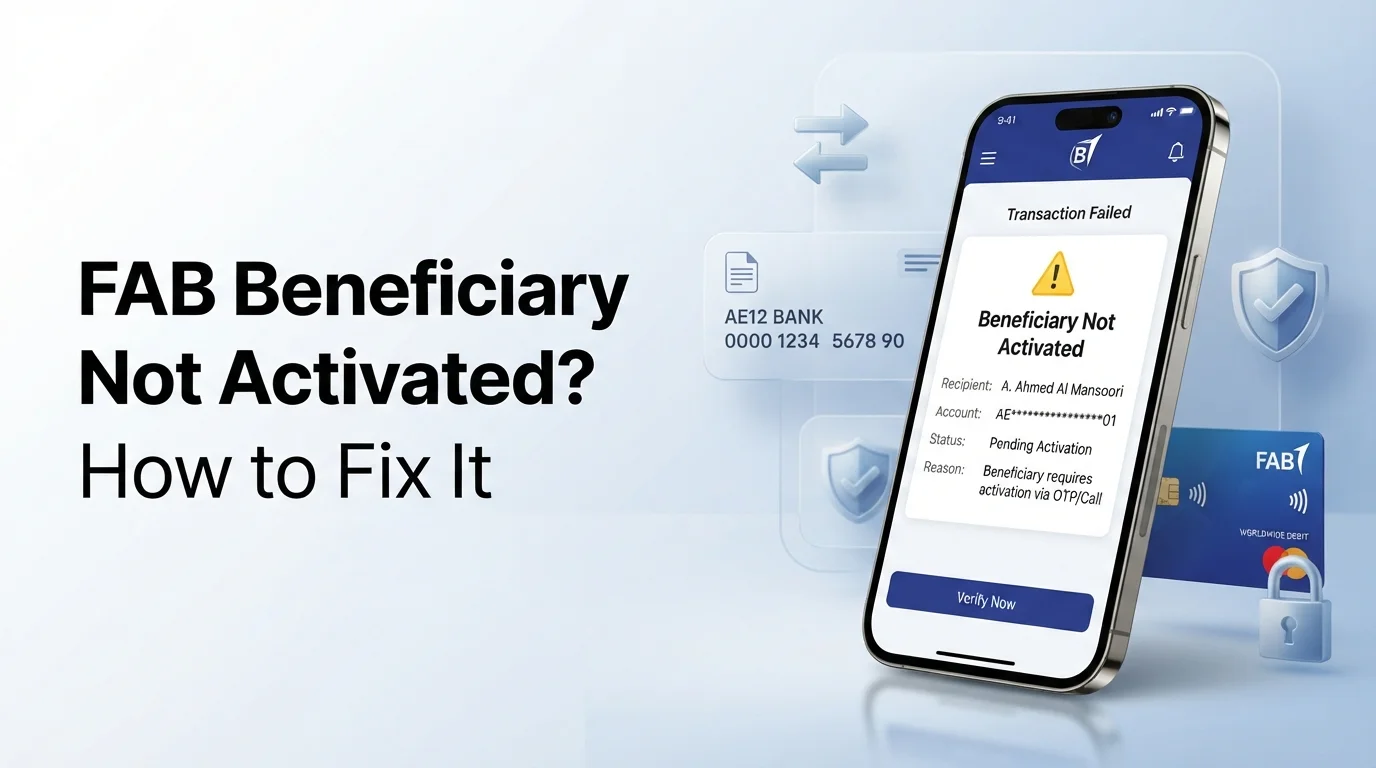
Seeing the “Beneficiary Not Activated” message in FAB can stop your transfer when you need it most. This issue often happens because of incomplete verification, incorrect beneficiary details, or a pending security check. In some cases, the transfer may also fail if your account does not have enough available funds, so checking your FAB Balance before trying again can help rule out that possibility.
This guide explains why your FAB beneficiary is not activated, how to activate it successfully, and what to do if the problem continues. You’ll also learn how to check the beneficiary status and avoid the same issue in future transfers.
Why Is Your FAB Beneficiary Not Activated?
A FAB beneficiary may not activate because the verification process is incomplete or the bank needs additional checks. Common reasons include:
Incorrect Beneficiary Details
A wrong IBAN, account number, or beneficiary name can prevent activation.
OTP Verification Not Completed
If you do not enter the OTP successfully, FAB cannot activate the beneficiary.
Activation Is Still Pending
Some beneficiaries require additional processing before they become active.
Security Verification
FAB may perform extra security checks to protect your account and prevent unauthorized transfers.
Network or System Issue
A temporary app, online banking, or network issue can delay the activation process.
Mobile App or Online Banking Error
Using an outdated app or experiencing a temporary system error may stop the beneficiary from activating.
How to Fix a FAB Beneficiary That Is Not Activated
Follow these steps to activate your beneficiary:
- Check the beneficiary status in the FAB Mobile App or Online Banking.
- Verify the beneficiary’s name, IBAN, and account number.
- Complete the OTP verification if prompted.
- Allow enough time if the activation is still pending.
- Refresh the app or sign in again.
- Update the FAB Mobile App to the latest version.
- Delete and add the beneficiary again if the details are incorrect.
- Contact FAB if the beneficiary still does not activate after completing all verification steps.
How Long Does FAB Take to Activate a Beneficiary?
Most beneficiaries activate after FAB completes the required verification. The processing time varies based on the beneficiary type and any additional security checks.
International beneficiaries or requests that require manual review may take longer than standard local transfers. If the activation takes longer than expected, check whether you’re experiencing a temporary FAB app not working issue before adding the same beneficiary again while the request is still being processed.
How to Check Whether Your Beneficiary Is Active
ou can verify the beneficiary status in a few steps:
- Open the FAB Mobile App or Online Banking.
- Go to Transfers.
- Open Manage Beneficiaries.
- Select the beneficiary.
If the status shows Active, you can start a transfer. If it shows Pending, Not Activated, or Verification Required, complete the requested action before sending money.
Common FAB Beneficiary Errors and Solutions
| Error | Solution |
|---|---|
| Beneficiary Pending | Wait until the verification process is complete. |
| Beneficiary Not Activated | Complete the required verification or OTP. |
| OTP Not Received | Request a new OTP and check your registered mobile number. |
| Invalid IBAN | Verify the IBAN and update the beneficiary details. |
| Transfer Failed | Confirm the beneficiary is active and review the transfer details. |
| Unable to Add Beneficiary | Refresh the app, update it, or try again later. |
Why Is Your Transfer Still Unavailable After Beneficiary Activation?
Your transfer may still be unavailable for these reasons:
- FAB is completing additional security checks.
- Your daily transfer limit has been reached.
- The beneficiary was activated recently and is still processing.
- The FAB Mobile App or Online Banking is experiencing a temporary issue.
- The transfer details contain an error.
If everything looks correct and the issue continues, contact FAB for assistance.
Tips to Avoid Beneficiary Activation Problems
Follow these best practices before adding a beneficiary:
- Copy the IBAN instead of typing it manually.
- Match the beneficiary name with the bank records.
- Use your registered mobile number for OTP verification.
- Save the beneficiary details carefully before submitting.
- Avoid adding the same beneficiary multiple times.
- Complete the activation on a secure and stable internet connection.
When Should You Contact FAB?
Contact FAB if the issue cannot be resolved through the app or online banking. You should contact FAB when:
- The beneficiary remains unavailable after completing all verification steps.
- You receive repeated activation errors.
- The beneficiary disappears after being added.
- You cannot edit or delete the beneficiary.
- The system prevents you from adding any new beneficiary.
Keep your beneficiary name, IBAN, registered mobile number, and any error message ready. This helps FAB verify your request more quickly.
Conclusion
A FAB Beneficiary Not Activated error usually occurs because the beneficiary has not completed the required verification or needs additional security checks. In most cases, you can resolve the issue by verifying the details, completing the required steps, and checking the beneficiary status again.
If the problem continues after you’ve completed all verification requirements, contact FAB for further assistance. Resolving the issue promptly helps you complete your transfers without unnecessary delays.