FAB ATM Retained My Card – What Should You Do?

Having a FAB ATM retain your card can be frustrating, especially if you need cash, have an important payment, or your salary has just been credited. Many customers worry about unauthorized transactions, losing access to their account, or not knowing what to do next. If you can no longer use your card, you can still monitor your available funds through FAB Balance Check while the issue is being resolved.
The good news is that you can protect your account and resolve the issue by following a few simple steps. This guide explains why a FAB ATM may keep your card, what you should do immediately, when to contact FAB, and how to recover or replace your card as quickly as possible.
What Does It Mean When a FAB ATM Retains Your Card?
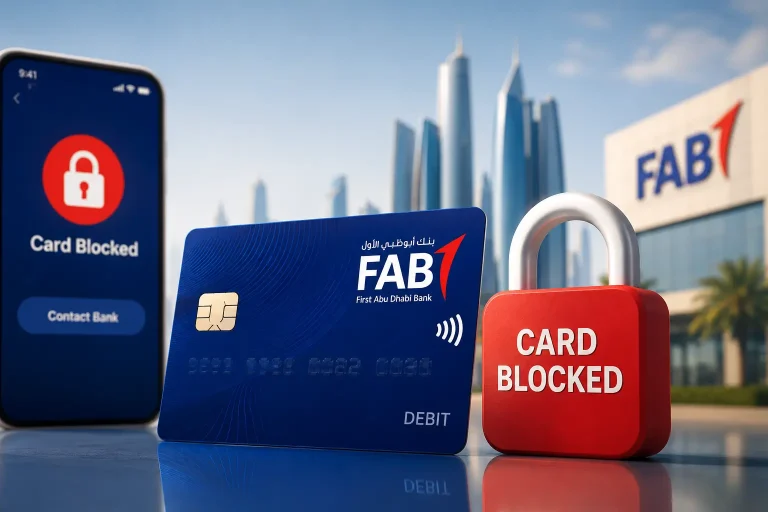
A retained card means the ATM keeps your FAB card instead of returning it after a transaction. This usually happens for security reasons or due to a technical problem. It does not always mean your account is at risk.
If this happens, do not try to force the ATM or leave without noting the ATM location, time, and any error message. Contact FAB as soon as possible to report the issue and follow their instructions.
Why Did the FAB ATM Keep Your Card?
A FAB ATM may retain your card for several reasons:
Incorrect PIN Entered Multiple Times
Entering the wrong PIN several times can trigger a security measure. The ATM may keep your card to protect your account.
Card Expired
An expired card may not complete the transaction. The ATM can retain it to prevent further use.
Damaged Card
A worn chip or damaged magnetic strip may stop the ATM from reading your card correctly.
You Didn’t Remove the Card in Time
Most ATMs return the card before dispensing cash. If you do not collect it within the time limit, the machine may pull it back for security.
Suspected Fraud or Security Block
FAB may block a card after detecting unusual activity. The ATM may retain the card to prevent unauthorized use.
ATM Technical Problem
A software error, network issue, or power interruption can cause the ATM to keep your card during a transaction.
Reported Lost or Stolen Card
If your card was previously reported as lost or stolen, the ATM may retain it when you try to use it.
Knowing the reason helps you take the right next step. In the following section, you’ll learn what to do immediately after a FAB ATM retains your card.
What Should You Do Immediately After the ATM Retains Your Card?
If a FAB ATM keeps your card, take these steps right away:
- Stay calm and do not try to force the card out.
- Wait a few minutes in case the ATM returns your card automatically.
- Note the ATM location, ATM ID, date, and time.
- Keep the transaction receipt if the ATM prints one.
- Check your account through the FAB Mobile app or online banking for any unexpected transactions.
- Contact FAB immediately to report the retained card.
- Block your card if you suspect fraud or notice unauthorized activity.
- Follow FAB’s instructions to recover or replace your card.
Taking these steps quickly helps protect your account and speeds up the resolution process.
Should You Wait at the ATM?
\
Yes. Wait 5 to 10 minutes. Some FAB ATMs return the card after a temporary system or network issue.
If the card does not return, do not try another transaction or insert another card. Note the ATM location, ATM ID, and any error message. If the ATM is inside a FAB branch, inform a staff member immediately. If it is outside a branch or after working hours, contact FAB customer support and follow their instructions.
Quick Answer: Wait up to 10 minutes. If the ATM still keeps your card, report the issue to FAB immediately.
Can the Branch Staff Return Your Card?
It depends on the ATM and the bank’s security policy. If the ATM is inside a FAB branch, inform a staff member immediately. They will check whether your card can be retrieved.
In many cases, branch staff cannot return a retained card immediately. Banks often follow security procedures that require the card to be destroyed or replaced instead of returned.
If your card cannot be recovered, FAB will guide you through the replacement process.
How to Report a Retained FAB Card
Report the issue as soon as possible to protect your account.
- Contact FAB Customer Support and report the retained card.
- Visit the nearest FAB branch if the ATM is on the branch premises.
- Use the FAB Mobile App or Online Banking to check your account for any unauthorized transactions.
- Request a card replacement if the card cannot be recovered.
Keep the ATM location, ATM ID, date, and time ready. These details help FAB investigate the incident faster. If your retained card is a Ratibi salary card, you can also check your latest salary status through Ratibi Card Salary Check while your request is being processed.
What Information Should You Keep Ready?
Before contacting FAB, keep these details ready:
| Information | Why It Matters |
|---|---|
| ATM Location | Identifies the exact ATM where the incident occurred. |
| ATM ID | Helps FAB locate the specific ATM quickly. |
| Date and Time | Supports the investigation and transaction tracking. |
| Card Type | Confirms whether you used a debit, credit, or salary card. |
| Transaction Receipt | Provides transaction details, if available. |
| Emirates ID | Helps verify your identity during the support process. |
| Registered Mobile Number | Confirms account ownership and enables verification. |
How Long Does It Take to Recover or Replace a FAB Card?
The time depends on whether your card can be recovered or needs to be replaced. If the ATM cannot return your card, FAB may issue a new one after verifying your identity.
Recovery or replacement times can vary based on the ATM location, the type of card, and the bank’s security procedures. FAB will inform you of the next steps after reviewing your request.
Will Your Money Be Safe?
Yes. A retained card does not mean your money is lost. Your account remains protected by the bank’s security systems.
Check your account through the FAB Mobile App or Online Banking for any unauthorized transactions. If you notice suspicious activity, block your card immediately and contact FAB without delay.
What If the ATM Belongs to Another Bank?
If another bank’s ATM retains your FAB card, contact FAB first. They will explain the next steps and coordinate if needed.
If you used your card at a non-FAB ATM, also note the ATM owner’s name, location, ATM ID, date, and time. Do not contact the other bank unless FAB advises you to do so. If you later experience issues while transferring money after your card is replaced, such as a FAB Beneficiary Not Activated error, resolve that issue before attempting another transfer. Always follow the instructions provided by FAB.
What If the ATM Also Debited Your Account?
If your account was debited but the ATM retained your card or did not dispense cash, report the transaction to FAB immediately.
Check your account for the transaction status and keep the ATM receipt, location, date, and time ready. FAB will investigate the transaction and advise you on the next steps.
Can You Still Access Your Money?
Yes. You can still access your account using the FAB Mobile App or Online Banking. If your card is blocked or retained, use available digital banking services to manage your account.
If you need cash urgently, contact FAB to learn about the available withdrawal or replacement options for your account.
How to Prevent an ATM From Retaining Your Card
- Enter your PIN carefully.
- Remove your card as soon as the ATM returns it.
- Do not use an expired or damaged card.
- Avoid forcing the card into the ATM.
- Use ATMs in good working condition.
- Contact FAB if your card shows signs of wear or stops working properly.
Conclusion
A retained FAB card is usually a temporary issue that you can resolve by acting quickly. Record the ATM details, report the incident to FAB, and monitor your account for any unusual activity.
Following the correct steps helps protect your account and speeds up the recovery or replacement process. If you’re unsure what to do, contact FAB directly for account-specific assistance.