FAB ATM Balance Check (Quick & Easy Guide)
This guide is written for people in the UAE who regularly use ATMs to check their balance, especially when they need quick confirmation of funds. Many users rely on ATM checks on salary day or during busy periods when digital methods may be slow or unavailable. In these moments, clear and accurate balance information matters more than anything else.
It applies to First Abu Dhabi Bank debit card holders, salary account users, and prepaid Ratibi card users. The steps and explanations here reflect common, real-world usage such as month-end rush, salary processing delays, and situations where the mobile app or SMS service does not respond as expected.
The goal of this guide is simple: help you understand what you see on the ATM screen and know what to do next without confusion or stress.
What Is FAB Balance Check via ATM?
FAB balance check via ATM allows First Abu Dhabi Bank customers in the UAE to instantly view their available account balance using a debit or Ratibi card by using ATM machine. By inserting the card and selecting balance inquiry, users can confirm funds securely within seconds. This method works without internet access and is widely used for quick balance verification, especially on salary days or when mobile banking services are unavailable.
FAB ATM balance check is one of the fastest ways to verify your available funds in the UAE, especially when the mobile app or SMS service is slow or unavailable.
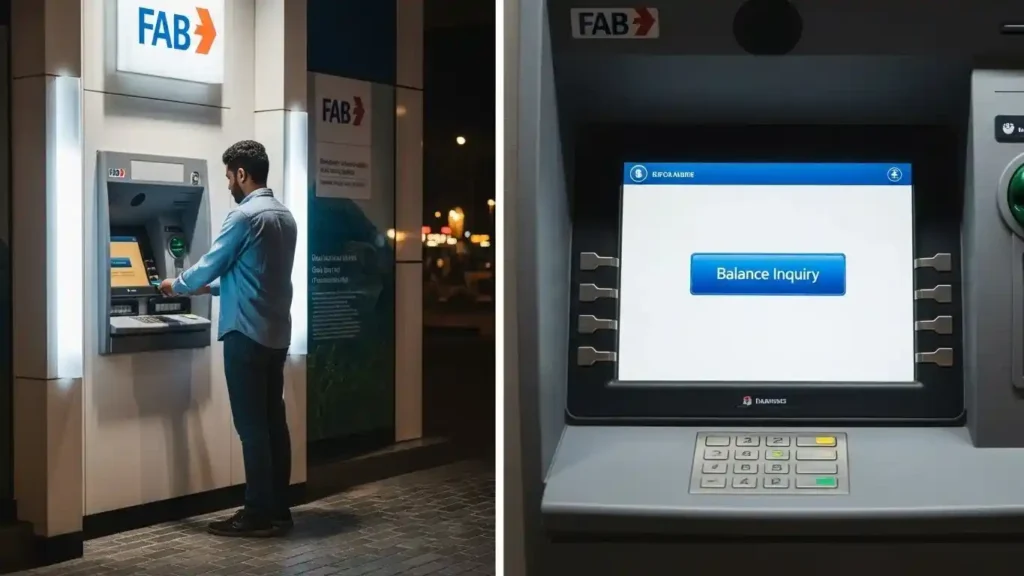
What You Need Before Checking FAB Balance at an ATM
Before heading to the ATM, make sure you have the following:
Having these ready helps avoid errors and saves time at the machine.
Step-by-Step Guide: How to Check FAB Balance via ATM?
Follow these steps at the ATM machine. The process is simple and usually takes less than a minute.
Step 1 – Insert Your FAB Card
Insert your FAB debit card or Ratibi card into the ATM slot. Make sure the card is inserted in the correct direction.
Step 2 – Select Language
Choose your preferred language on the screen. Most machines offer English and Arabic.
Step 3 – Enter Your ATM PIN
Carefully enter your PIN using the keypad. Cover the keypad while typing to keep your PIN secure.
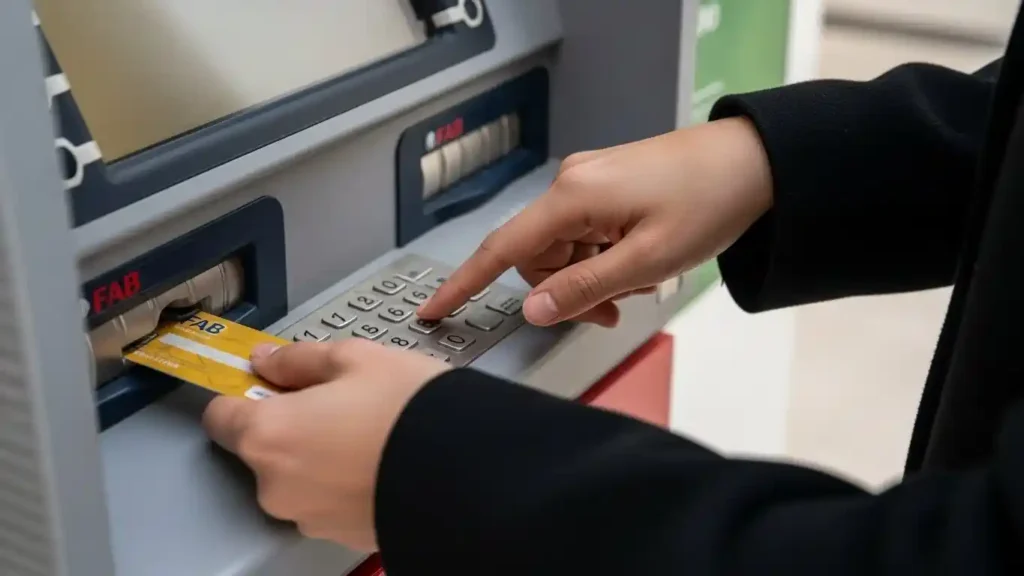
Step 4 – Choose “Balance Inquiry”
From the menu options, select Balance Inquiry. This tells the ATM you only want to check your balance, not withdraw cash.
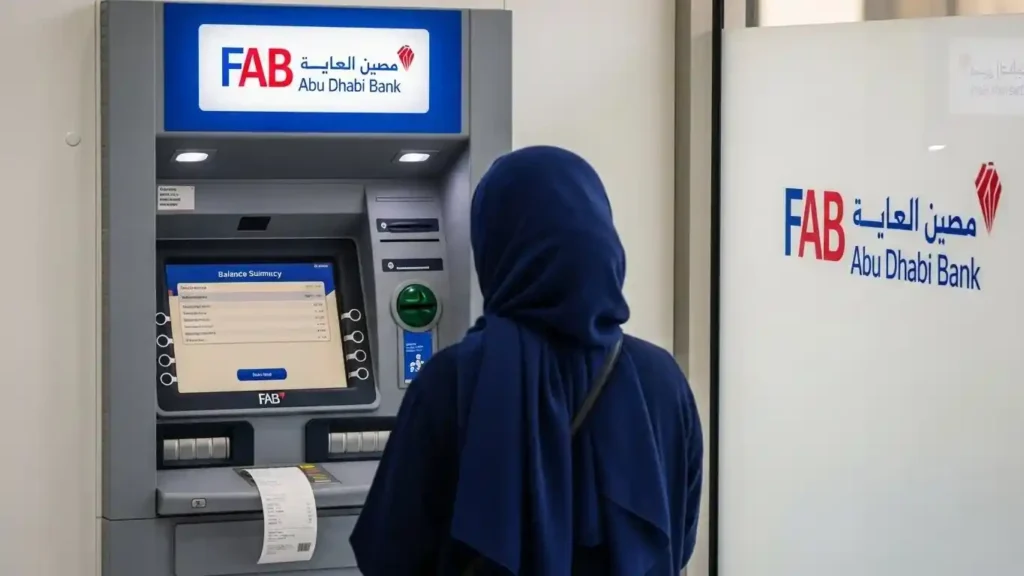
Step 5 – View Available Balance on Screen
Your available balance will appear on the screen within a few seconds. Some ATMs may also show recent transaction details.
Step 6 – Collect Card & Receipt (Optional).
Take your card back once the transaction ends. You can choose to print a receipt, but it’s optional.
That’s it. If the balance doesn’t show or an error appears, don’t worry—we’ll cover common fixes in the next section.
Can You Check FAB Balance at Non-FAB ATMs?
Yes, in many cases you can check your FAB balance at non-FAB ATMs in the UAE, but the experience is not always the same.
For quick and accurate results, most people prefer checking their balance at a FAB machine.
FAB ATM Balance Check for Ratibi Card Holders
If you’re using a fab Ratibi card, the ATM balance check process is almost the same as a regular FAB debit card. You can insert the card, enter your PIN, and choose balance inquiry at the ATM.
One important thing to understand is salary balance visibility. When your employer transfers your salary, it may show as credited in the system, but that doesn’t always mean it’s immediately usable.
Here’s the key difference many people miss:
- Salary credited
This means the money has been sent by your employer, but it may still be processing. - Available balance
This is the amount you can actually use or withdraw. This is the balance shown on the ATM screen.
If your salary was credited today but the ATM shows a lower amount, it usually means the funds are still being processed. Checking again after some time often resolves this.
This clear distinction helps Ratibi card holders avoid confusion and unnecessary stress on salary day.
Popular FAB ATM Areas Across the UAE
Here is the popular locations in UAE for checking balance.
| City | Popular Area (Landmark Type) | Typical Availability | Best For |
|---|---|---|---|
| Abu Dhabi | Major malls / business districts | Often 24/7 in main hubs | Fast balance checks any time |
| Dubai | Large malls / metro-linked areas | Often 24/7 in high-traffic spots | 24/7 access + convenience |
| Al Ain | Main malls / central areas | Often 24/7 in top locations | Quick balance inquiry |
| Sharjah | Major malls / city centres | Often 24/7 in hubs | Night/weekend access |
| Ajman | City centre / main malls | Often 24/7 in hubs | Easy public access |
| Ras Al Khaimah | Main malls / central areas | Often 24/7 in hubs | Reliable ATM availability |
Use the map to locate nearby FAB ATMs. Tap the map to open Google Maps, where you can search by area or use your current location.
FAB ATM Balance Check Timing (Best Time to Check)
Timing matters more than most people think. The same ATM can show different results depending on when you check.
1) Salary Day vs Non-Salary Day
- On salary day:
Balance may update in stages. Your salary can be credited but not fully available yet. Checking a little later often shows the correct amount. - On non-salary days:
Balance checks are usually smooth and accurate because systems are less busy.
2) Early Morning vs Late Night
- Early morning:
Good time to check. Systems are usually stable, and updates from the previous day are completed. - Late night:
Some ATMs may be slow or temporarily unavailable due to system maintenance.
3)End-of-Month Rush
- End of the month is the busiest time.
- Many users check balances at the same time, which can cause delays or temporary errors.
- If the balance looks off, wait a bit and check again instead of trying repeatedly.
4) Public Holidays & Weekends
- Balance checks still work, but salary processing can be delayed.
- On holidays, updates may happen later than usual.
- ATMs are still reliable, but patience helps during these periods.
Quick tip:
If your balance doesn’t look right, wait 10–30 minutes and try again or use a backup method. Timing alone fixes many “problems” people worry about.
FAB ATM Balance Check Not Working – Quick Checklist
If the ATM doesn’t show your balance, don’t panic. Run through this quick checklist before trying anything else:
Most balance check issues are temporary. Following this checklist usually solves the problem without needing further help.
Common Problems While Checking FAB Balance at ATM (And Fixes)
SometimSometimes the ATM doesn’t behave as expected. Most issues are common and usually easy to fix once you know the reason. Here’s what typically happens and what you should do next.
1) ATM Shows Error or No Balance
Why it happens
This can happen if the ATM is busy, temporarily offline, or unable to process balance inquiries at that moment.
What to do next
- Try another FAB ATM nearby
- Wait a few minutes and check again
- Use the FAB mobile app or SMS balance check if available
2) ATM Does Not Accept the Card
Why it happens
The card may be inserted incorrectly, the chip may not be read properly, or the ATM reader may be having a temporary issue. Dust or dirt on the card chip can also cause rejection.
What to do next
- Remove the card and gently clean the chip with a dry cloth
- Reinsert the card carefully in the correct direction
- Try another FAB ATM
- Avoid repeated attempts if the ATM keeps rejecting the card
3) Incorrect PIN Message
Why it happens
The PIN may be entered incorrectly, or you may be using an old PIN that was recently changed.
What to do next
- Re-enter the PIN carefully
- Avoid repeated wrong attempts
- If the issue continues, reset your PIN through official FAB channels
4) Card Blocked or Retained
Why it happens
Multiple incorrect PIN attempts or security checks can cause the ATM to block or retain your card.
What to do next
- Do not try again at another ATM
- Contact FAB customer support as soon as possible
- Carry a valid ID if you need to visit a branch
5) Balance Not Updated After Salary Credit
Why it happens
Your salary may be credited but still processing, especially on the same day.
What to do next
- Wait some time and check again
- Confirm the available balance at a FAB ATM
- Use the app or SMS to cross-check
6) Network or Machine Issue
Why it happens
ATM machines depend on network connections, and temporary outages do occur.
What to do next
- Move to another ATM location
- Try a different balance check method
- Avoid repeated attempts on the same machine
These issues are normal and usually temporary. If one method doesn’t work, switching to another often solves the problem quickly and safely.
FAB ATM Balance vs FAB App vs SMS – Which Is Better?
Each balance check method has its own use. The best option depends on your situation, not on features.
Quick Comparison
| Method | Speed | Reliability | Best Time to Use |
| ATM | Fast | Very high | When you need confirmed available balance |
| Mobile App | Very fast | High | When internet is working properly |
| SMS | Fast | Medium | When you don’t have internet access |
When ATM Is the Better Option
- You want to see the available balance clearly
- The app is not opening or stuck
- SMS is delayed or not arriving
- You need instant confirmation on salary day
ATM checks are often the most dependable, especially during busy times.
When App or SMS Is Better
- You’re not near an ATM
- Internet is stable (for app users)
- You only need a quick balance check without leaving home
Many users switch between methods depending on what’s working at the moment.
FAB ATM Balance Check for New Cards & First-Time Users
New Card Activation
- Your new FAB card may take some time to fully activate
- Balance inquiry might not work immediately
- Waiting a few hours or until the next working day usually solves this
First Salary Credit
- Salary can be sent by the employer but still processing
- ATM may show old or lower balance at first
- This does not mean your salary is missing
ATM PIN Setup or Change
- Newly set or changed PIN may not work instantly
- Some ATMs update slower than others
- Trying again later or using another FAB ATM often helps
First Successful Balance Check – What to Expect
- Small delays during the first few days are normal
- ATM shows available balance, not total salary
- Receipt details may be limited at the beginning
When Should You Use ATM Instead of Other Methods?
An ATM is often the better choice in real-life situations where other methods don’t work as expected.
This is why ATMs are still widely used, even with digital options available.
What Happens If Your FAB ATM Card Is Blocked or Expired?
If your card is expired or blocked, the ATM experience changes. Knowing what to expect saves time and avoids repeated failed attempts.
Expired Card
- An expired FAB card usually will not work at the ATM
- The machine may reject the card or show an error message
- Balance inquiry is not possible once the expiry date has passed
What to do:
Use the FAB app or SMS if available, or wait for your replacement card.
Temporarily Blocked Card
- Temporary blocks can happen due to security checks or multiple wrong PIN attempts
- In most cases, the ATM will not show the balance
- Some machines may return the card immediately without completing the request
What to do:
Avoid retrying at different ATMs. Use another balance check method or contact support to remove the block.
When ATM Might Still Work
- Minor system delays or short-term restrictions
- Recent PIN change that hasn’t fully updated yet
In these cases, waiting some time and trying again at a FAB ATM may help.
When ATM Will Not Work at All
- Card is fully expired
- Card is permanently blocked or reported lost
- Security hold is active on the account
In such situations, the ATM cannot be used for balance inquiry.
FAB ATM Balance Check Charges
Using a FAB ATM
Using Other ATMs in the UAE
Why a Fee May Appear
- Use a FAB ATM to avoid any possible charges
Note: Any fee shown on the ATM screen is decided by the ATM provider and may change over time.
FAB ATM Balance Check – Daily Limits & Restrictions
FAB ATM balance checks are usually quick and unlimited, but in some situations you may face temporary limits or restrictions.
Possible Limits to Know
When Restrictions May Apply
You might face issues if:
Quick Tips to Avoid Problems
In normal conditions, most users can check their FAB balance at ATMs anytime without hitting any real daily limit.
Is FAB ATM Balance Check Safe?
Yes. Checking your balance at a FAB ATM is generally safe when basic precautions are followed. First Abu Dhabi Bank uses secure banking networks and encrypted systems to protect customer information during ATM transactions across the UAE.
However, your personal safety habits also matter. Always cover the keypad when entering your PIN and avoid using ATMs in isolated or poorly lit areas. If the machine looks tampered with or behaves unusually, cancel the transaction and use another FAB ATM.
For most users in the UAE, FAB ATM balance checks are a reliable and secure way to confirm available funds, especially when done at official bank locations.
How Often Does FAB ATM Balance Update? (Real-Time or Delayed)
FAB ATM balance usually updates quickly, but it is not always instant. The update timing depends on what type of transaction is involved.
Normal Balance Updates
Salary Processing Updates
This is common and usually fixes itself after some time.
End-of-Month Delays
If the balance looks wrong at this time, waiting and checking again later often helps.
Real-Time vs Delayed Balance (Simple Explanation)
Quick Tip
If your balance doesn’t update:
Conclusion
Checking your balance at an ATM is still one of the most reliable ways to get clear and instant information, especially when timing matters. Whether it’s salary day, month-end, or a moment when the app or SMS isn’t working, the ATM often gives the quickest answer. If something doesn’t look right, it’s usually due to timing, processing delays, or temporary system issues not because your money is missing. Waiting a short time, trying another ATM, or using a backup method solves most problems.
Use this guide whenever you’re unsure what the ATM is showing or why it behaves a certain way. Knowing what to expect helps you avoid stress and make the right next move with confidence.