FAB Debit Card Blocked? How To Unblock It Quickly in UAE
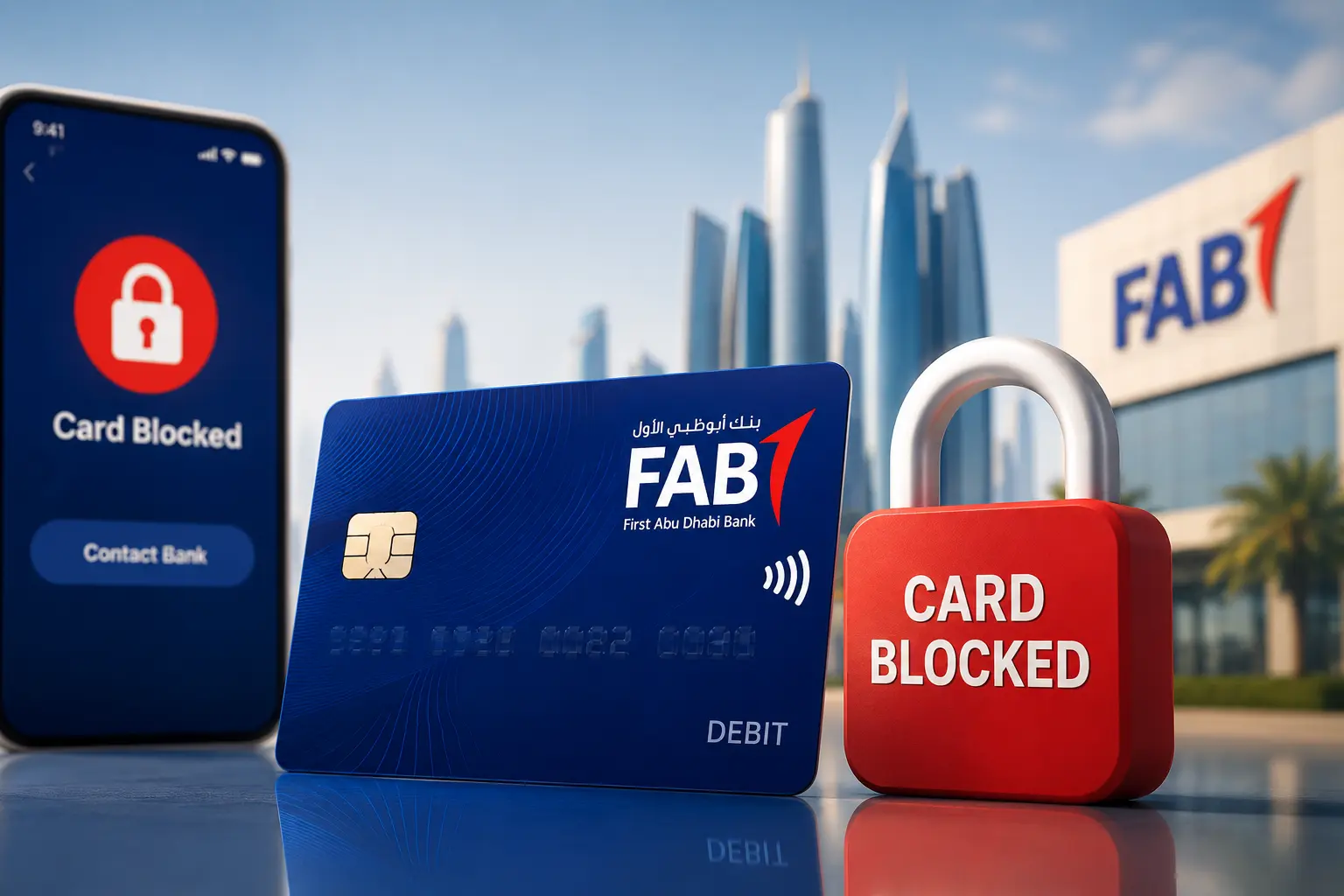
Getting your FAB debit card blocked can be stressful, especially when you need urgent access to salary, ATM withdrawals, FAB balance check, or online payments in the UAE. Many users suddenly discover the issue during supermarket payments, ATM cash withdrawals, or international transactions.
In most cases, FAB debit cards become restricted because of incorrect PIN attempts, temporary banking security checks, suspicious transactions, disabled online payment settings, or outdated Emirates ID verification.
The good news is that many FAB debit card restrictions can be solved quickly through the FAB Mobile app, ATM PIN reset, customer support verification, or simple account checks. In this guide, you’ll learn the fastest ways to unblock your FAB debit card, the most common reasons behind the restriction, and what to do if the issue continues.
Why Your FAB Debit Card Gets Blocked
If your FAB debit card is blocked, the restriction is usually temporary and triggered automatically by banking security systems to protect your account. Common reasons include incorrect PIN attempts, suspicious transactions, an expired Emirates ID, failed OTP verification, or disabled online payment settings.
In some cases, users may also experience a FAB transaction failed error before the card is temporarily restricted for security verification.
Fortunately, most issues can be resolved quickly through the FAB Mobile Banking App, an ATM PIN reset, or customer support verification.
Common Reasons Why FAB Debit Cards Get Blocked
1. Multiple Incorrect PIN Attempts
Entering the wrong ATM PIN several times is one of the most common reasons a FAB debit card becomes temporarily blocked.
For security purposes, UAE banking systems automatically restrict the card after repeated failed PIN attempts to prevent unauthorized access.
This Commonly Happens When:
- Users forget a recently changed PIN
- Multiple ATM attempts are made quickly
- Someone else enters the PIN incorrectly
Common Signs:
- ATM withdrawals stop working
- payment transactions fail
- “Invalid PIN” appears
- “Transaction Declined” message shows
2. Suspicious or Unusual Transactions.
First Abu Dhabi Bank continuously monitors account activity for fraud prevention and transaction security.
If unusual activity is detected, FAB may temporarily restrict the debit card to protect the account from unauthorized usage.
Common Triggers Include:
- large international purchases
- repeated failed online payments
- transactions from unfamiliar locations
- rapid ATM withdrawals
- suspicious online merchant activity
These temporary restrictions are common across UAE banking systems and are designed to reduce fraud risks.
3. Emirates ID or KYC Verification Expired
An expired Emirates ID or outdated KYC details is one of the biggest reasons FAB debit cards become restricted in the UAE.
Under UAE banking regulations, banks must maintain updated customer verification records.
FAB May Temporarily Restrict:
- ATM withdrawals
- debit card transactions
- online banking access
- international payments
Updating your Emirates ID quickly usually resolves the restriction.
4. Online or International Transactions Disabled
Sometimes the debit card itself is active, but specific transaction settings are disabled inside the FAB Mobile app.
Many users accidentally disable:
- online payments
- international transactions
- contactless payments
- ATM withdrawals
Quick Fixes
Open the FAB app and review:
- card controls
- transaction permissions
- international usage settings
In many situations, enabling the correct settings restores access immediately.
5. ATM Captured or Retained the Card
An ATM machine may occasionally keep or swallow your FAB debit card during a transaction.
This can happen because of:
- Repeated incorrect PIN attempts
- suspected security risks
- damaged card chip
- expired debit card
- ATM malfunction
If this happens:
- contact FAB support immediately
- note the ATM location and transaction time
- avoid retrying the transaction repeatedly
Quick reporting helps reduce security risks and speeds up card recovery or replacement.
6. Debit Card Expired or Physically Damaged
Older debit cards may stop functioning properly because of:
- damaged chip
- worn magnetic strip
- physical wear
- card expiration
Common Signs
- ATM cannot read the card
- POS machine repeatedly declines transactions
- contactless payments stop working
- visible chip damage appears
In most cases, requesting a replacement debit card is the fastest solution.
7. Failed OTP or Banking Verification
Some online payments require OTP (One-Time Password) verification through your registered UAE mobile number.
If FAB OTP verification fails, banking systems may temporarily block transactions for security protection.
Common Causes
- inactive mobile number
- delayed OTP delivery
- incorrect verification details
- repeated failed verification attempts
8. Temporary Banking Security Restrictions
Sometimes FAB places temporary restrictions on debit cards during fraud monitoring or internal security reviews. These restrictions are precautionary and designed to protect customer accounts from suspicious activity, and in some cases may result in a temporary FAB account frozen status.
Restrictions May Trigger When:
- unusual transactions are detected
- foreign payments suddenly increase
- login activity appears suspicious
- repeated transaction failures occur
- banking verification checks fail
FAB customer support can usually confirm whether the restriction is temporary or requires additional verification.
Quick Fixes for FAB Debit Card Problems
| Problem | Most Likely Reason | Fastest Solution |
|---|---|---|
| Wrong PIN entered multiple times | Temporary security lock | Reset PIN through FAB ATM or wait for temporary lock removal |
| Online payments not working | Online transactions disabled | Enable online payments in FAB Mobile app |
| International transactions blocked | International usage turned off | Activate international transactions in app settings |
| Card suddenly stopped working | Temporary fraud or security restriction | Contact FAB customer support for verification |
| ATM kept or swallowed the card | Security detection or ATM issue | Report immediately to FAB and visit nearest branch if needed |
| Card not reading at ATM or POS machine | Damaged chip or expired card | Request debit card replacement |
| OTP verification failed | Mobile verification issue | Update registered mobile number |
| Salary received but card not working | Card-only restriction | Check card controls inside FAB Mobile app |
| Debit card restricted after Emirates ID expiry | KYC verification pending | Update Emirates ID and banking records |
How to Unblock FAB Debit Card
There are several ways to restore access depending on why the card was blocked.
Method 1: Unblock Through FAB Mobile App.
This is usually the fastest option.
Steps:
- Open the FAB Mobile app.
- Login to your banking account
- Tap “Cards”
- Select your FAB debit card.
- Check whether the card is frozen or disabled.
- Turn card controls back on.
- Enable ATM, online, or international transactions if needed
Many users discover the issue here. Sometimes, online transactions were accidentally disabled.
If the restriction is only app-related, the card may start working immediately.
Method 2: Contact FAB Customer Care.
If the app does not solve the issue, contact FAB customer support.
FAB Customer Care Numbers
- Within UAE: 600 52 5500
- Outside UAE: +971 2 6811511
The support team may ask for:
- Emirates ID verification
- debit card details
- registered mobile number
- recent transaction confirmation
In many cases, temporary blocks can be removed during the call.
Method 3: Reset PIN Through FAB ATM.
If the problem started after incorrect PIN attempts, resetting the PIN may help.
Steps:
- Visit a FAB ATM
- Insert the debit card
- Select PIN services
- Reset or create a new PIN
- Confirm through OTP verification if required
Some restrictions disappear automatically after successful PIN reset.
Method 4: Visit a FAB Branch.
Sometimes, branch verification becomes necessary.
This usually happens when:
- KYC is incomplete
- Emirates ID expired
- fraud review triggered
- account verification pending
- signature mismatch detected
Bring:
- original Emirates ID
- passport copy if available
- registered mobile phone
Branch staff can check whether the restriction is card-related or account-related.
FAB Debit Card Blocked After Wrong PIN What to Do?
Entering the wrong PIN multiple times is one of the most common reasons FAB debit cards get temporarily blocked in the UAE.
What You Should Do
- Stop entering the PIN repeatedly
- Wait a few minutes before trying again
- Open the FAB Mobile app and check card status
- Try resetting the PIN through a FAB ATM
- Contact FAB customer support if the issue continues
Many users panic and retry the card at multiple ATMs, which can make the restriction last longer.
How Long Does FAB Take to Unblock a Debit Card?
The timing depends on the reason behind the restriction.
| Situation | Estimated Time |
|---|---|
| Temporary app freeze | Immediate |
| Wrong PIN lock | Few minutes to few hours |
| Customer support verification | Same day |
| KYC or Emirates ID issue | 1–3 working days |
| Fraud investigation | Several days |
Simple security locks are usually resolved quickly.
More serious restrictions involving compliance or suspicious transactions may take longer.
FAB Debit Card Not Working Online
Sometimes a FAB debit card works normally at ATMs but fails during online payments or subscriptions. This usually happens because of disabled online transactions, failed OTP verification, international payment restrictions, or temporary security checks.
Common Reasons Why FAB Debit Card Is Not Working Online
Your FAB debit card may fail online because of:
- Online transactions disabled in the FAB app
- International payments turned off
- Merchant is flagged as high risk
- Expired debit card
- Insufficient account balance
- Failed OTP verification
- Temporary fraud protection trigger
- Incorrect card details entered online
What You Can Do
If your FAB debit card is not working online, try these solutions:
- Open the FAB Mobile app and enable online transactions
- Check whether international usage is disabled
- Verify your available account balance
- Confirm your registered mobile number is active for OTP verification
- Retry the payment using another merchant
- Check whether the debit card has expired or been temporarily restricted
For many users, enabling online payments inside the FAB app solves the issue quickly.
Where This Problem Commonly Happens
This issue is especially common with:
- International websites
- Streaming subscriptions
- Airline bookings
- Gaming purchases
- App store payments
- Foreign e-commerce websites
Difference Between Blocked Debit Card and Frozen Account
Many users confuse these two situations.
| Issue | What Happens |
| Debit card blocked | Card transactions stop, but account may still receive salary |
| Account frozen | Banking transactions become restricted |
A blocked debit card does not always mean your FAB account is frozen.
This is important because salary deposits may still arrive normally.
Can You Still Receive Salary If FAB Debit Card Is Blocked?
Yes, in many cases you can still receive salary payments even if your FAB debit card is temporarily blocked.
If only the debit card is restricted, the salary account itself may continue working normally. This means your employer can still transfer salary into the account without interruption.
However, some banking services may become limited, including:
- ATM cash withdrawals
- debit card payments
- contactless transactions
- online purchases
In some situations, online banking access may still remain active even though the card is blocked.
Important:
If the entire FAB account is restricted because of KYC issues, expired Emirates ID, compliance review, or fraud verification, access to salary funds may also become temporarily limited.
Common FAB Debit Card Error Messages
When using your debit or ATM card, you may sometimes see different error messages during transactions. Understanding these messages can help you identify the problem faster and take the correct action.
1. “Transaction Declined”
This is one of the most common banking error messages and is usually linked to:
- Insufficient account balance
- Temporary security restrictions
- Merchant payment system issues
- Online transaction limitations or disabled settings
In many cases, checking your account balance or retrying the transaction later can resolve the issue.
2. “Invalid PIN”
This message appears when incorrect PIN details are entered during an ATM withdrawal or card payment.
Multiple failed PIN attempts may:
- Temporarily lock the card
- Block ATM access
- Trigger additional security verification
If you forget your PIN, use the official PIN reset option instead of guessing repeatedly.
3. “Card Restricted”
A card restricted message usually indicates that the bank has temporarily limited card usage for security or verification purposes.
Common reasons include:
- Automated security monitoring
- Unusual transaction activity
- Pending KYC verification
- International transaction restrictions
- Suspicious online payments
In most cases, contacting First Abu Dhabi Bank support can help confirm the exact reason.
4. “Please Contact Your Bank”
This message typically means the transaction requires manual review or account verification.
It may happen because of:
- Security concerns
- Verification checks
- Card usage restrictions
- Account-related issues
Customer support or branch staff can explain the exact issue and guide you through the next steps.
Tips to Prevent Future FAB Card Restrictions
Following a few smart banking habits can help reduce the risk of future FAB card restrictions, transaction blocks, and account security issues.
1. Keep Your Emirates ID Updated
An expired Emirates ID is one of the most common reasons banks in the UAE place temporary restrictions on customer accounts and debit cards.
To avoid service interruptions, always update your Emirates ID details before the expiration date.
2. Avoid Multiple Incorrect PIN Attempts
Entering the wrong PIN several times can automatically block your FAB debit card or ATM access for security reasons.
If you forget your PIN, use the official PIN reset option through the mobile banking app, ATM, or customer support instead of guessing repeatedly.
3. Enable SMS and Mobile App Alerts
Activating transaction alerts helps you monitor account activity in real time.
SMS notifications and mobile banking alerts can quickly identify:
- Unauthorized transactions
- Suspicious purchases
- Failed payment attempts
- Unusual account activity
Early detection improves account security and reduces fraud risks.
4. Inform the Bank Before International Travel
International payments and overseas ATM withdrawals sometimes trigger automated fraud protection systems.
Before traveling, notify First Abu Dhabi Bank about your travel plans to reduce the chances of temporary card restrictions abroad.
5. Monitor Online Transactions Regularly
Regularly reviewing your account statement and online transactions helps detect:
- Unknown subscriptions
- Unauthorized charges
- Duplicate payments
- Suspicious merchant activity
Consistent account monitoring is an important banking security practice that helps prevent future card restrictions and financial fraud.
When You Should Replace the Debit Card Instead of Unblocking It
When Should You Replace Your FAB Card?
Sometimes, replacing your card is the better option instead of trying temporary fixes.
You should consider getting a replacement card if:
- The card chip is damaged
- The ATM repeatedly fails to read the card
- Contactless payments stop working permanently
- Your card has expired
- The ATM has swallowed your card
- You suspect fraud or unauthorized activity
Depending on your account type, First Abu Dhabi Bank branch staff may issue a replacement card for you.
Conclusion
A blocked FAB debit card can be frustrating, especially when you need immediate access to ATM withdrawals, salary funds, or online payments in the UAE. In most cases, the restriction is temporary and can be resolved quickly through the FAB Mobile app, PIN reset, customer support verification, or updated Emirates ID details.
The fastest approach is usually checking your card settings inside the FAB app before visiting a branch or contacting customer support. If the issue involves security verification or compliance checks, acting quickly and avoiding repeated failed attempts can help restore access faster.
To reduce future FAB debit card restrictions, keep your Emirates ID updated, monitor transactions regularly, and avoid sharing sensitive banking information with unknown callers or messages.